A security report your client can actually act on.
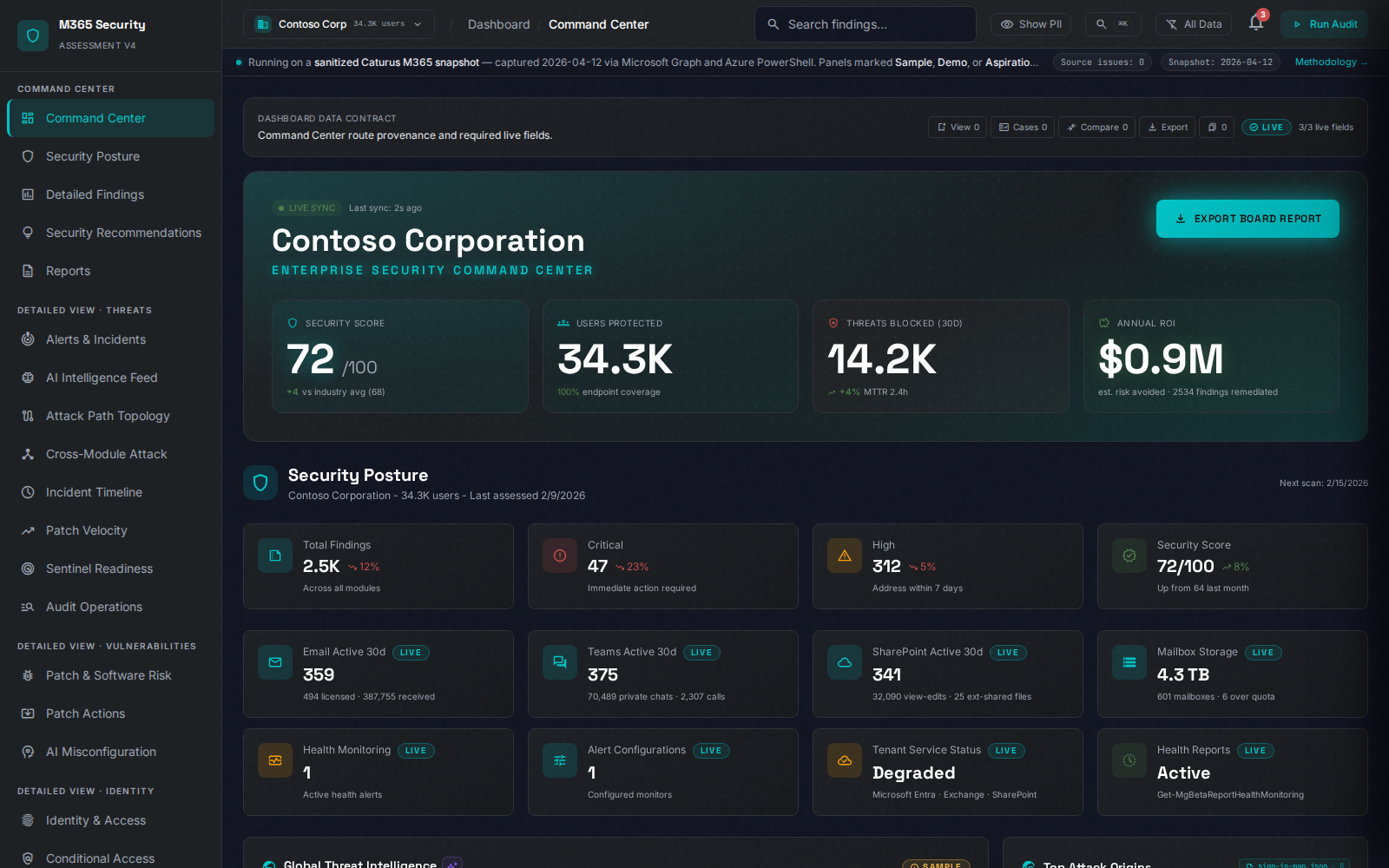
365 Security Assessment turns Microsoft 365 findings into an executive-ready narrative: what is risky, why it matters, what to fix first, and how the next step becomes a remediation or monitoring conversation.
Click to open larger
Answer first
Short answer
A security report your client can actually act on: practical Microsoft 365 and Azure security assessment guidance, screenshots, examples, and reporting resources from 365
The sample report shows how 365 Security Assessment turns Microsoft 365 risk into executive context, technical evidence, and next-step remediation scope.
- Who it helpsMSP account teams, security engineers, and client decision-makers
- What you getScreenshots and reporting structure for assessment-to-remediation conversations
- Next stepSee the sample report
board-ready summary
Clear language for risk, urgency, and business impact.
remediation-ready detail
Prioritized findings with practical next steps for the engineering team.
sales-ready conversation
A clean path from finding to Deep Dive, sprint, or continuous monitoring.
What the report needs to prove
A security assessment is only useful if it helps a buyer make a decision. The deliverable is designed to bridge technical findings and business action.
Current posture
Show the client where they stand today without burying the conversation in raw checks.
Prioritized risk
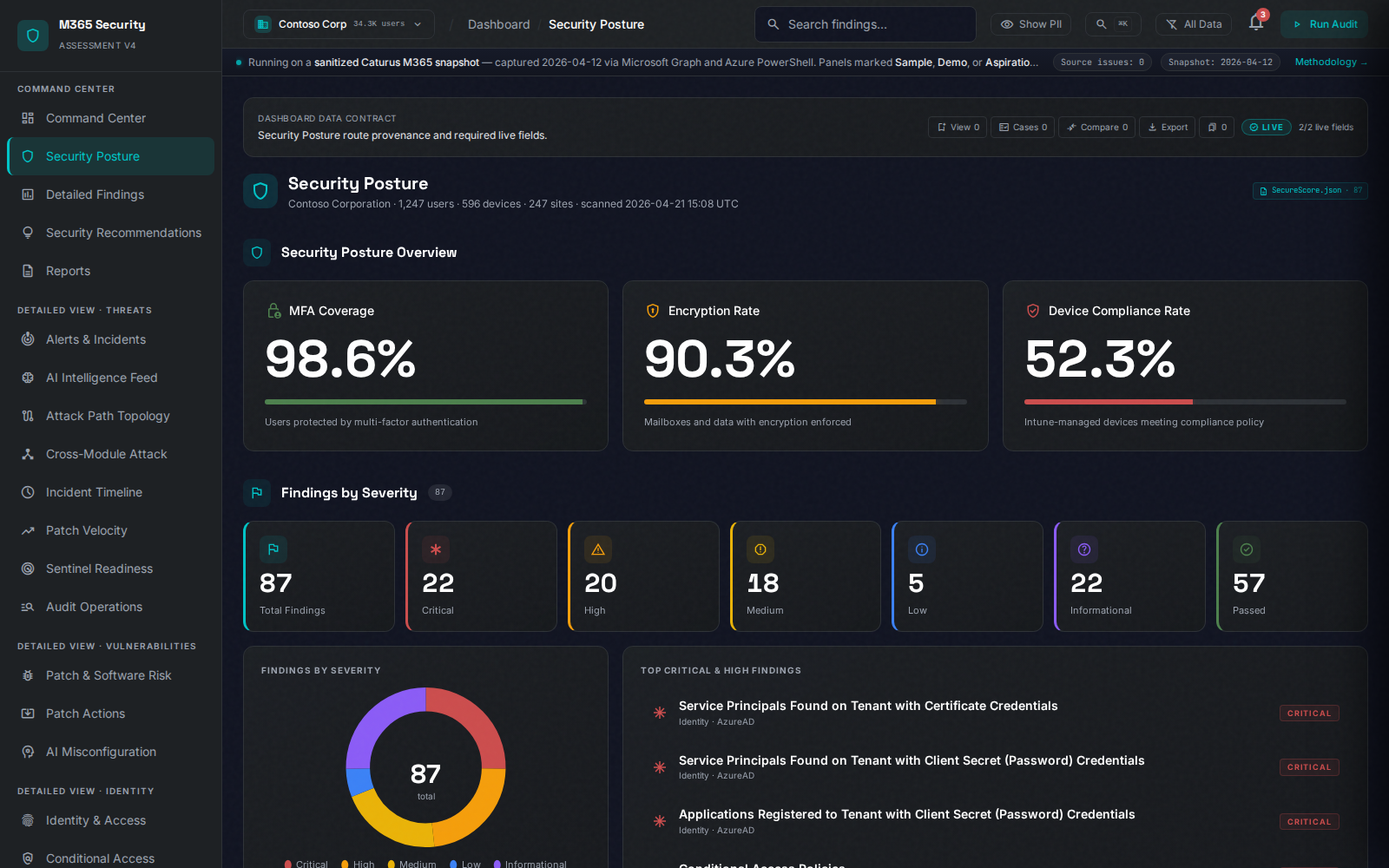
Separate urgent, exploitable, and compliance-relevant findings from noise.
Attack-path context
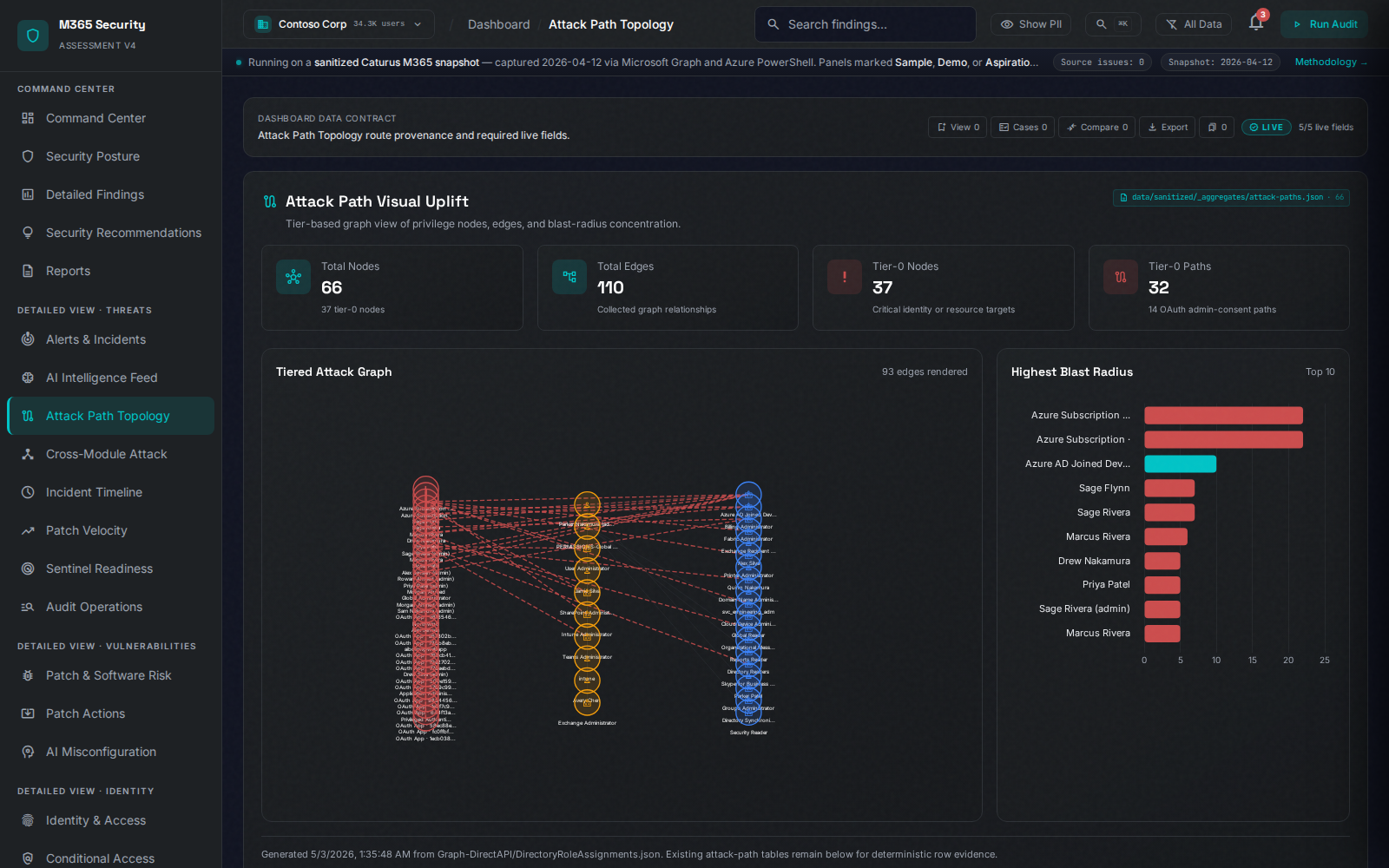
Explain how individual misconfigurations can combine into a larger tenant risk story.
Next-step scope
Turn the highest-priority findings into a remediation sprint, Deep Dive, or monitoring plan.
Click to open larger
For executives
Start with the decision-maker view.
The executive layer is built for the person approving budget or asking whether the tenant is defensible. It summarizes risk, business impact, and what should happen next.
- Plain-language risk summary
- Severity and priority breakdown
- Clear recommendation for the next meeting or project
For technical teams
Then give engineers the work queue.
Technical teams need more than a score. They need the specific findings, context, and remediation path that helps them decide what can be fixed now, what needs change control, and what belongs in a larger project.
- Prioritized finding inventory
- Remediation-ready grouping by control area
- Clear handoff path for MSP partners or your internal IT team
Click to open larger
Click to open larger
For risk conversations
Show how small gaps combine.
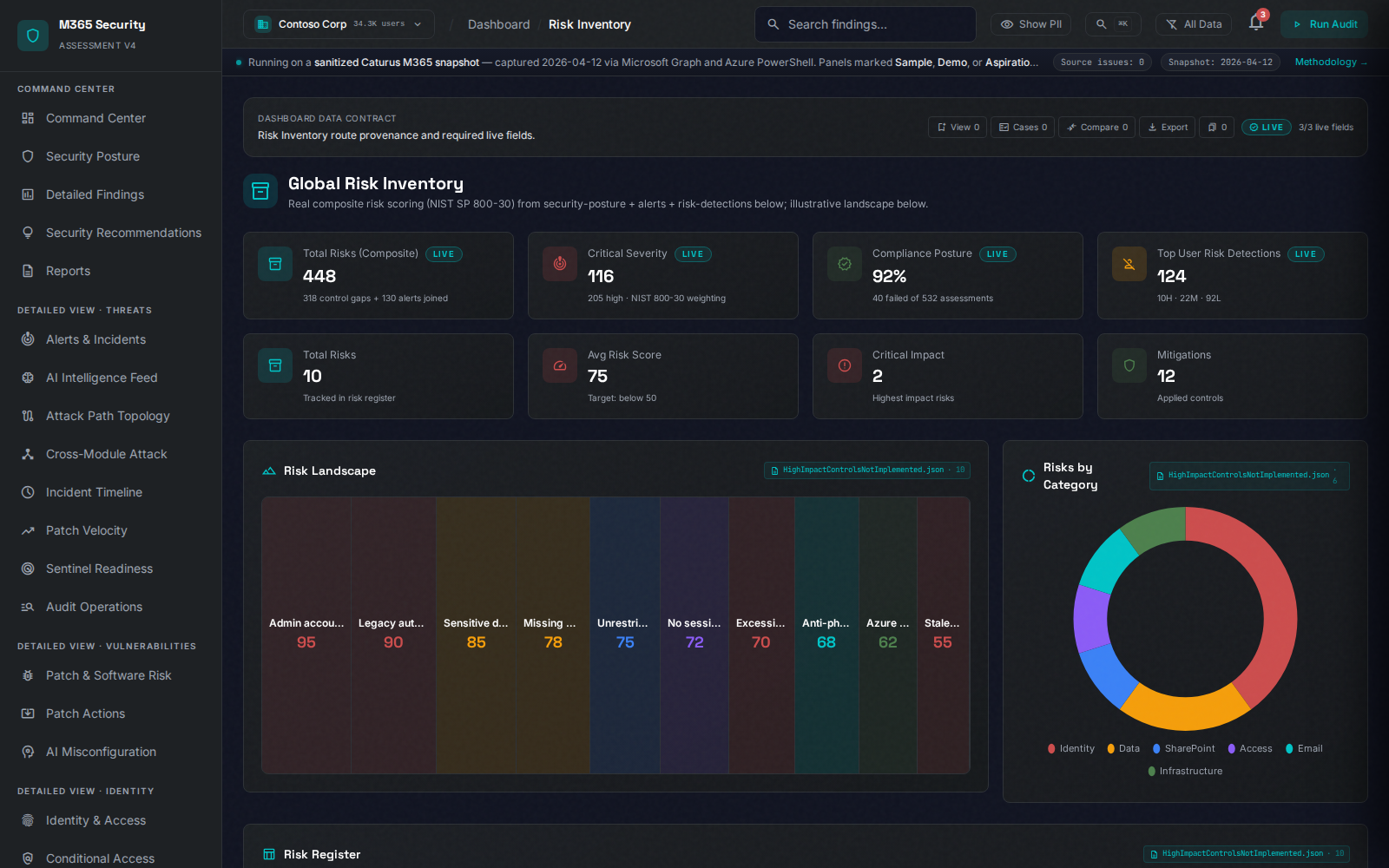
The most persuasive report is not a pile of isolated settings. It shows how identity, email, collaboration, admin roles, and data exposure can combine into realistic business risk.
- Better client review conversations
- Stronger case for remediation budget
- Clearer rationale for continuous monitoring
Inside the platform
Every layer of your tenant, in one report.
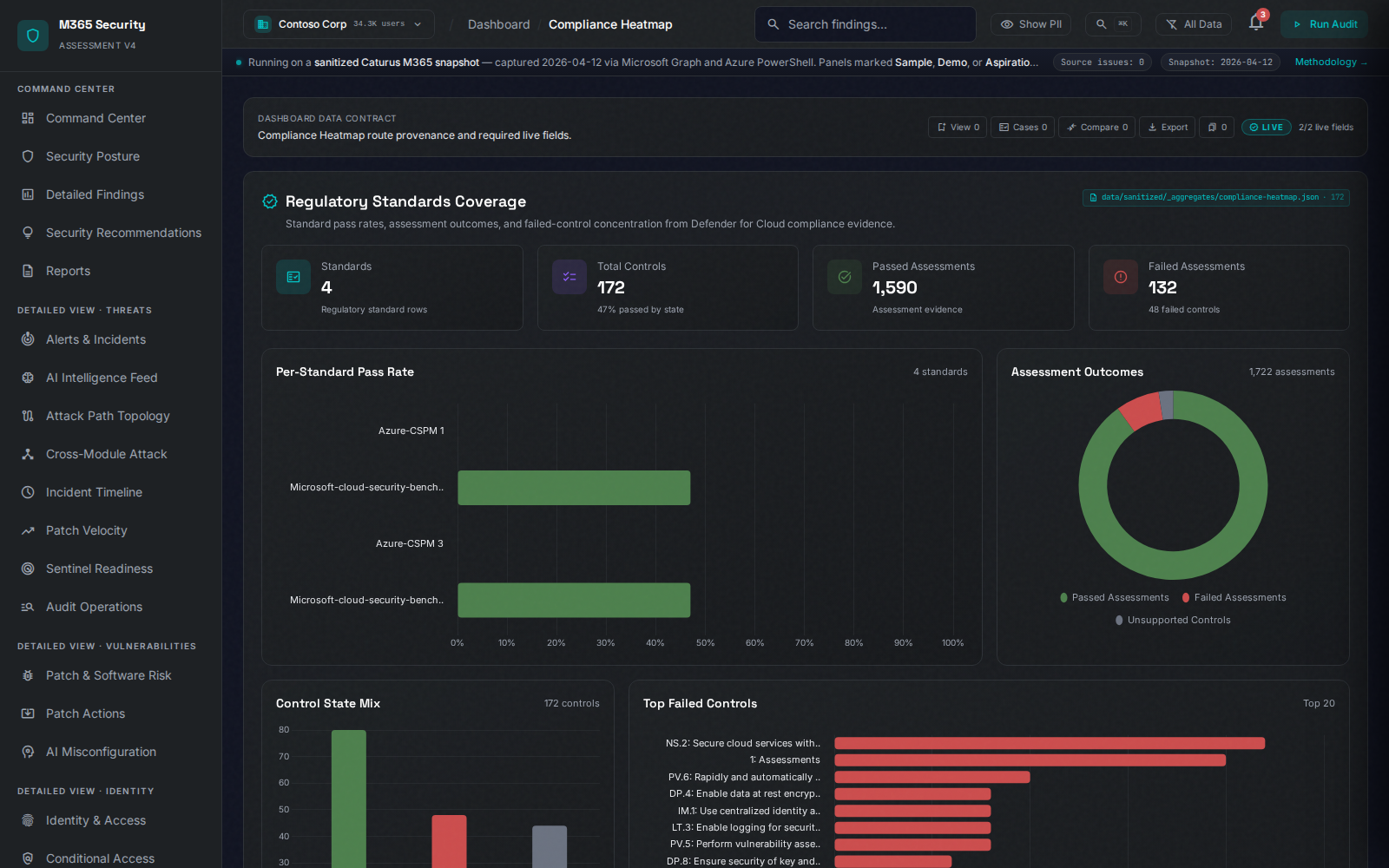
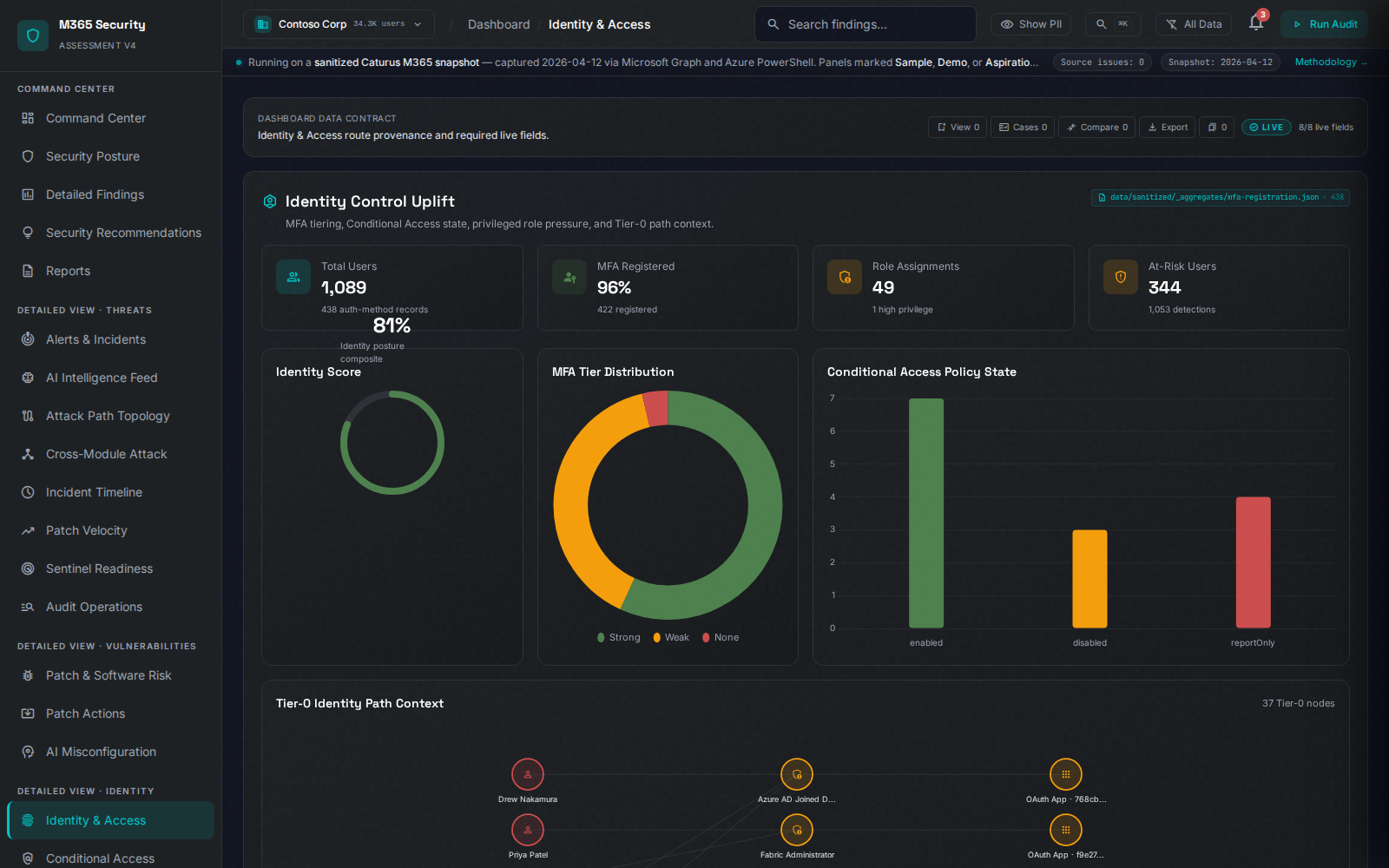
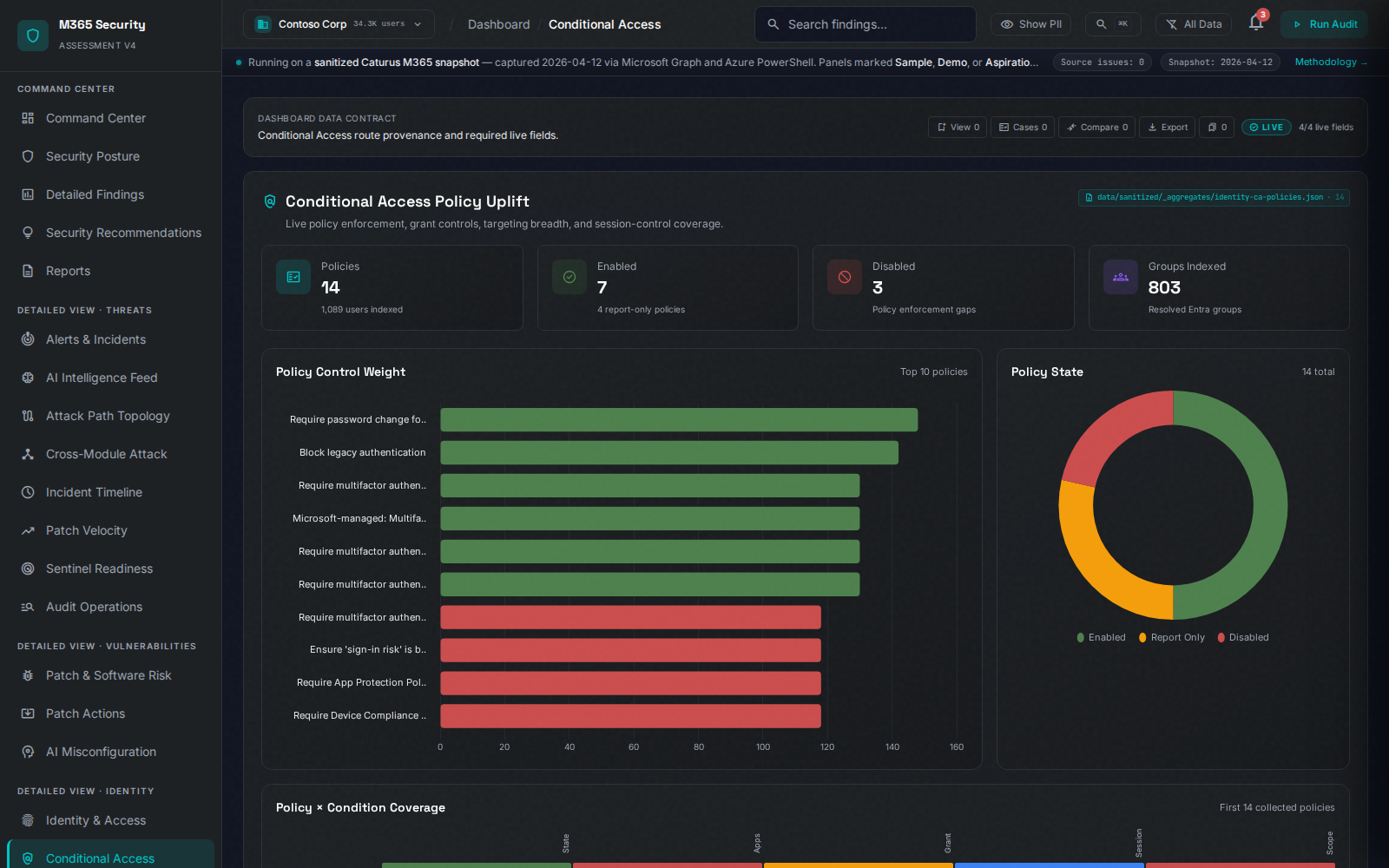
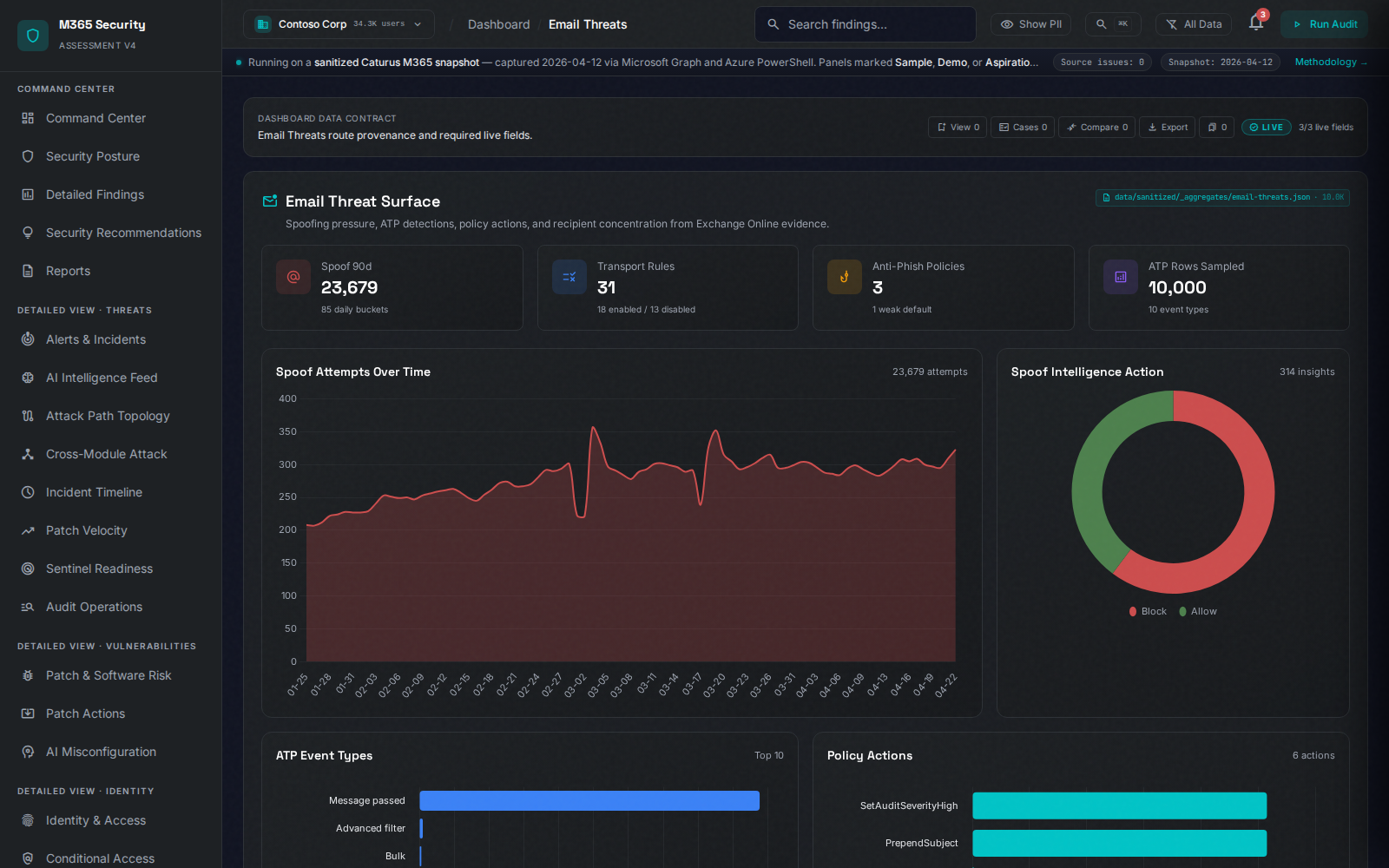
The full assessment surfaces dedicated views for compliance, identity, Conditional Access, and email security — each one ready to drop into a client conversation, an audit response, or an internal incident review. Click any screenshot to open it larger.
Click to open larger
Compliance heatmap
One configuration. Ten frameworks.
Every finding carries the specific control number for CIS, NIST 800-53 Rev 5, HIPAA, PCI-DSS v4.0, ISO 27001, SOC 2, GDPR, HITRUST CSF, CMMC 2.0, and FedRAMP. Auditors accept it directly — no spreadsheet bridge.
Identity & access
Find the identities your MFA doesn't cover.
Privileged-role inventory, MFA gap analysis, service-principal hygiene, guest-access exposure, and dormant-account risk — mapped to the people and apps that actually log in to your tenant today.
Click to open larger
Click to open larger
Conditional Access analyzer
See the gap before an attacker does.
Conditional Access policies are deceptively easy to misconfigure. We map every policy against every user, app, and platform — surfacing coverage holes, conflicting rules, legacy-auth gaps, and break-glass exposure.
Email threat intelligence
Exchange in detail, not in summary.
Mailbox forwarding rules, transport-rule exceptions, DKIM/DMARC/SPF posture, anti-phishing policy depth, and impersonation-protection coverage — the configuration surface most often missed by score-only tooling.
Click to open larger
How MSPs use this in a client meeting
The goal is not to hand over a PDF and hope. The goal is to guide the client through a decision.
Open with posture
Show the executive summary and top risk themes.
Review top findings
Walk through the highest-priority identity, policy, email, and data exposure gaps.
Choose scope
Convert findings into a Deep Dive, remediation sprint, or continuous monitoring plan.
Schedule action
Leave with a next meeting, statement of work, or monitoring decision.
See it live
Walk through the report with us.
Bring a client, prospect, or internal use case. We will show how the report supports the actual sales, remediation, and monitoring conversation.